
fefw-recomp
Static recompilation project targeting Fire Emblem: Fortune's Weave for x86-64 Windows and Linux. The upstream README documents the Steam Deck route via Proton and Wine; build guidance is anchored to a commit for reviewability.
- Windows
- Linux
Getting started
Download and extract
Download fefw-recomp-<version>-win64.zip from the releases page and extract it into its own folder.
Run the launcher
Start fefw-launcher.exe.
Set up your dump
On the Setup page, pick your dump folder or .nup and press Set up. The launcher checks your files, builds the game on your PC and prepares the shaders. The build supports update 131072 of the game only.
Play
Press Play. Saves live in the save folder next to the launcher. The in-game overlay opens with F1, the frame-rate counter with F2, and fullscreen with Alt+Enter.
Update the right way
Extract a new release into a fresh folder, copy the save folder (and your mods folder), then run Set up again.
Download and extract
Download fefw-recomp-<version>-linux-x64.tar.gz and run the fefw-launcher.AppImage inside.
Run through Proton or Wine
The Linux build needs Steam with Proton, umu-launcher (umu-run) or Wine. The Play page's Add to Steam button does the wiring for you.
Set up the same way
The Setup page works exactly as on Windows. After an update, rerun Set up from Desktop Mode on Steam Deck.
Know the frame-generation limit
FSR 3 frame generation does not work through Proton. The launcher offers LSFG-VK instead, installable under Settings > Frame rate.
Game compatibility
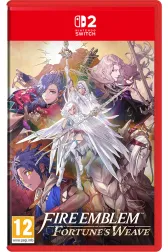
Support detail for each title lives on its game page, with its own last-checked date.
Overview
fefw-recomp is a static recompilation project targeting Fire Emblem: Fortune's Weave. Its upstream README documents builds for x86-64 Windows and Linux and a Steam Deck route via Proton and Wine; the README link we carry is anchored to a commit so the review trail stays stable.
System and game requirements
- A 64-bit Windows or Linux host, or a Steam Deck
- the game dumped from your own legally owned copy
- Proton and Wine for the Steam Deck route
Features described by the developer
- Per the project's own documentation: x86-64 Windows and Linux builds
- a documented Steam Deck (Proton / Wine) route
- build guidance anchored in the upstream README.
Related projects
- Active
Recompilation launcher for Fire Emblem: Fortune's Weave that builds the game ahead of time from your own dump and plays it natively on Windows x64. The upstream documentation covers mod management, in-game enhancements and known limitations, and documents Linux support as a plan with a status page for what already works. The engine continues from a snapshot of the fefw-recomp engine, which upstream states is no longer online.
- Windows
- Active
Independent Switch 2 emulator forked from Eglantine, which descends from the Eden, yuzu and Sudachi line. The upstream README reports Windows, Linux and macOS builds and names lichii.zortos.me as the only official website, used for per-game compatibility reports. Every release links to the upstream GitHub releases page.
- Windows
- Linux
- macOS
- Active
Switch 2 emulator for Android, called Lichii for Android until version 0.5.0 per the upstream README. The README documents an arm64 phone with Android 13 or newer and Vulkan 1.3, with tested device notes for Exynos Xclipse and Snapdragon Adreno hardware. APKs publish through the upstream GitHub releases page, including an android-latest pre-release rebuilt from every commit.
- Android


What do the status and evidence badges mean?
Status groups
| Public build | The project provides a directly downloadable Switch 2 build. |
|---|---|
| Early release | A public release with limited testing or known issues. |
| Experimental / source | A proof of concept, or a project you build yourself from source. |
| Demo | A small homebrew demo or a developer showcase. |
| Reference | Development information, runtime context or an auxiliary tool. |
Evidence levels
| developer_reported | The claim comes from the project's own documentation, changelogs or release notes. |
|---|---|
| project_focus | The project describes this as its goal. It is not necessarily working today. |
| unverified | We have not yet confirmed the claim from a primary source. |
Reported capabilities apply to the specific build and settings the project tested. A release sync on this site never re-verifies compatibility.